DeepSeek Harness: Letting the Agent Build Its Own UI
On October 7, OpenAI released Intelligent UI in ChatGPT. Instead of always answering with text, ChatGPT can now answer with charts, buttons, forms, and small interactive tools.
It reminded me of something I’ve been playing with for a while: DeepSeek Harness, where the agent can build new UI as a plugin while it runs. In this post, I’ll share what I learned from the paper behind it, and walk through a small visualization I asked it to build for me.
DeepSeek Harness
DeepSeek Harness is an agent harness. It’s a web app and a CLI that run model sessions with tools, skills, subagents, MCP servers, plan mode, context compaction, and more. Almost all of it is built as plugins on a TypeScript framework called Cordis.
So DeepSeek Harness isn’t a UI project. But because everything is a plugin, the agent can write a new plugin, load it into the running app, and clean it up later, all without a restart. UI is just one kind of plugin. That means the agent can create, load, and remove UI elements on its own, and pick the best way to show a response instead of always falling back to text.
Example
I wanted to learn how DeepSeek Harness handles context: what goes into each model call, and how it grows over a conversation. So instead of reading the code, I asked the harness to show me.
Here’s the starting point, a normal DeepSeek Harness window.
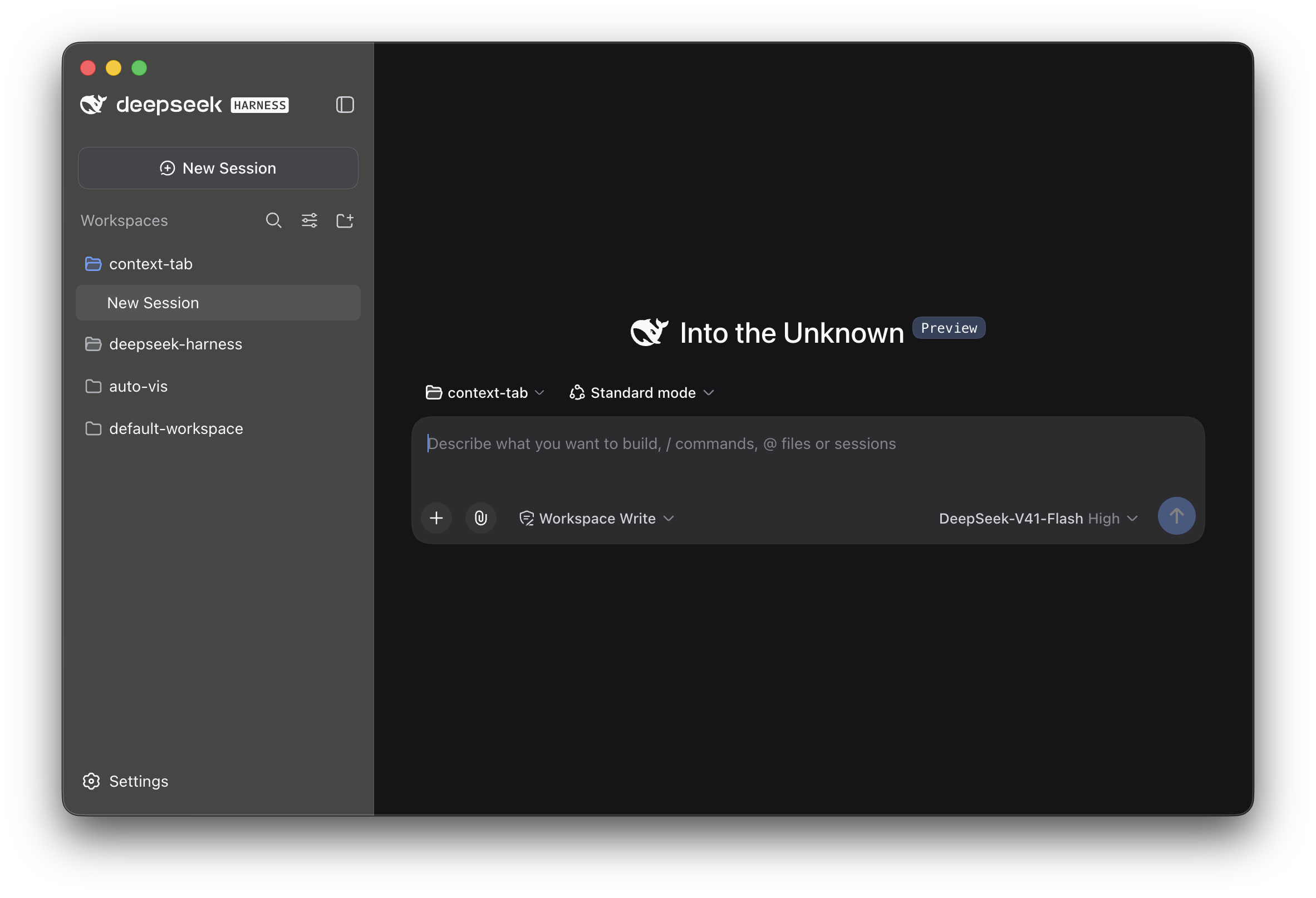 The initial view of DeepSeek Harness.
First, I gave the agent a real task to work on, so there would be some context to look at. I asked it to build a tool that estimates feature delivery time, and it produced a single-file HTML estimator.
Then, in the same session, I asked it to add a visualization of the context structure for each round, and to show the full context as a string when I click on a round.
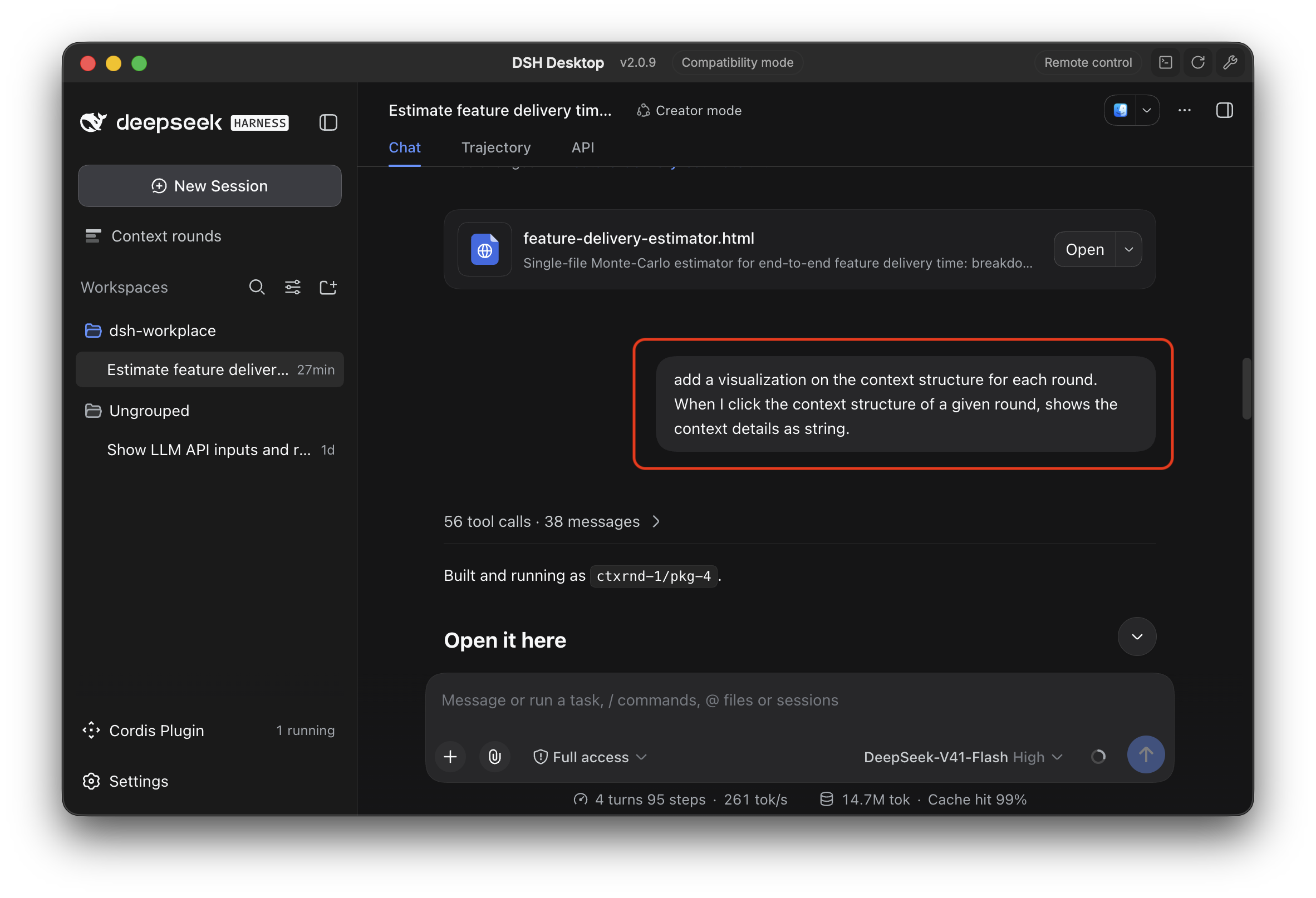 The prompt (in the red box) asking the agent to add a context visualization. The agent replied “Built and running as
 ctxrnd-1/pkg-4”, and a new “Context rounds” entry appeared in the sidebar.
The agent wrote the plugin and loaded it into the running app. Notice the “Cordis Plugin · 1 running” in the bottom left, and the new “Context rounds” entry at the top of the sidebar. I didn’t restart anything, and my session kept going.
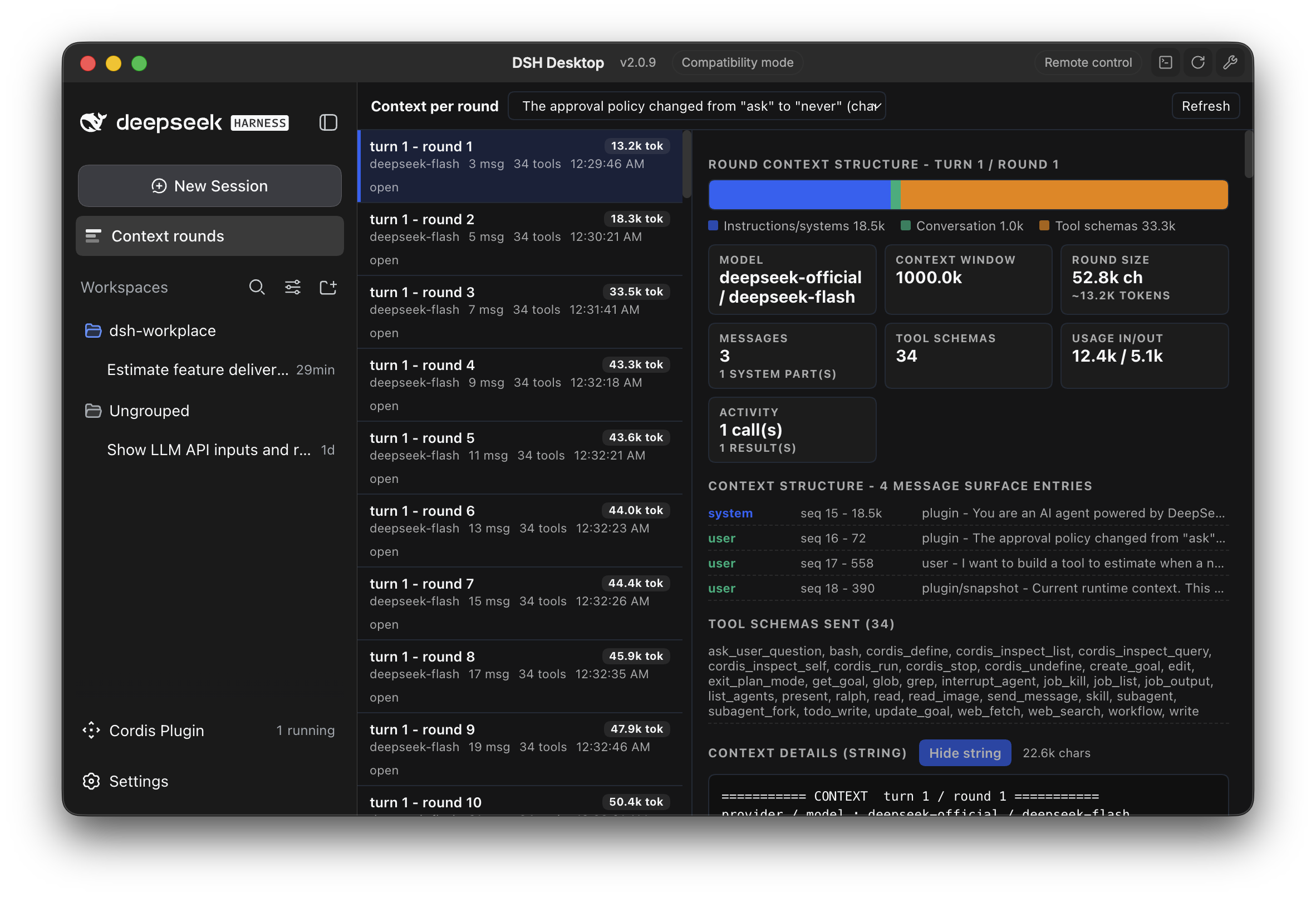 The new Context rounds view, hot-loaded without a restart. Each round shows its size, a breakdown by type, the messages and tool schemas sent, and the full context as a string.
This is the result: a view that shows what the model sees in each round of the conversation. It’s useful because I can see at a glance how the context is made up and how it grows, instead of digging through logs.
Building the view was only half of it. In the next turn, I asked the agent to stop the plugin.
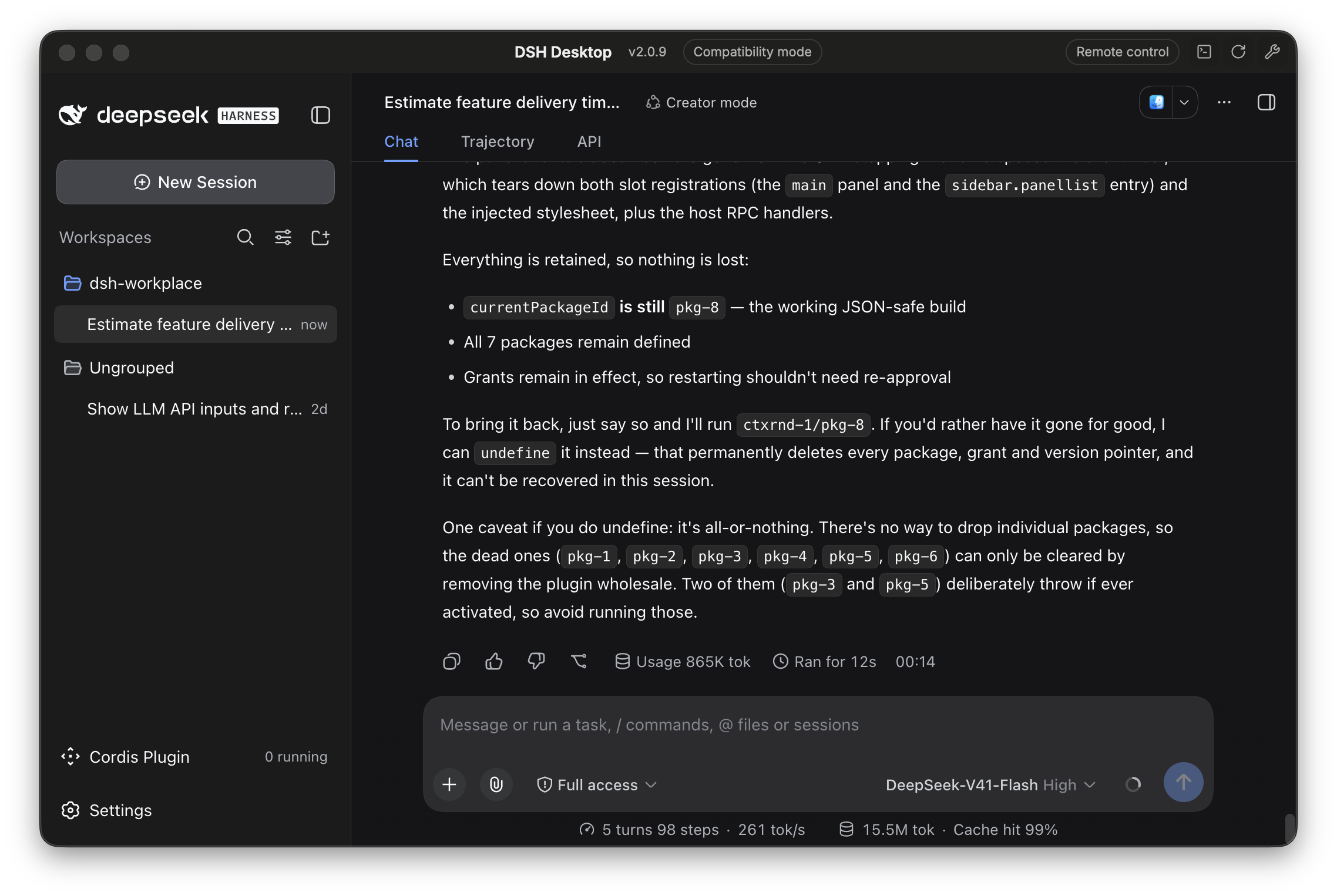 After stopping the plugin, the “Context rounds” entry is gone, “Cordis Plugin” shows 0 running, and the session is still going.
The “Context rounds” entry is gone from the sidebar, and the counter at the bottom left now says 0 running. The agent explained what was cleaned up: the main panel and the sidebar entry, the stylesheet the plugin injected, and the handlers it had registered. My session kept going the whole time. The plugin’s code is still saved, so the agent can start it again with one command.
So the agent could add a piece of UI to a running app and then take it away cleanly, with no restart either way. The rest of this post looks at the paper that makes this safe.
The paper’s big ideas
Doing this safely is harder than it sounds. A plugin that loads into a live app adds things everywhere: a sidebar entry, a panel, a stylesheet, event handlers. When it’s removed, all of that has to go away, and nothing else should break. That’s what a recent paper, A Programming Paradigm for Spatiotemporal Composability, is about. Cordis is its implementation.
The paper asks one question: how do you add, remove, and swap parts of a program while it runs, without restarting it and without leaving anything behind? It’s 92 pages, mostly definitions and proofs. Here’s the high-level version.
Two problems
The paper splits the question into two problems:
- Temporal composability: when a component leaves, everything it did must be undone.
- Spatial composability: components must say what they depend on, and the system must react correctly when those dependencies come and go.
Most software handles neither well. The paper uses VS Code as its example. Of the top 100 extensions, 87 run code, and none of them can be unloaded without restarting the extension host, which restarts every extension. Only 7 of the top 100 declare a dependency on another extension.
For agent harnesses it gets worse. A harness whose agent changes its own parts would need a restart for every change, and all running tasks would be lost. A bad change could even break the process you need to fix it.
The usual workaround is to restart processes and split things into separate services. That works, but it throws away caches and half-done work, and it turns function calls into network calls.
Two ideas from type theory
The paper’s key insight is that these two problems match two well-known ideas from programming language theory. A normal type tells you what a computation returns. Effects and coeffects add two more things:
- Effects describe what a computation does to the world, like I/O, throwing errors, or changing state. In Koka, a type like
<fsys, exn> configsays the function may touch the file system and may throw. - Coeffects describe what a computation needs from the world, like services or permissions. In Effect-TS, a type like
Effect<User, NotFound, Database | Logger>says you can’t run it until someone provides a database and a logger. Dependency injection is the same idea.
Temporal composability is about effects: removing a component means undoing what it did. Spatial composability is about coeffects: a dependency is something a component needs.
The problem is that classic effects and coeffects are checked at compile time, over a fixed block of code. A plugin loaded after deployment doesn’t fit in any block of code, and its dependencies come from runtime config. So the paper moves both ideas from compile time to runtime.
Revertible effects
Every change a component makes to shared state returns a function that undoes it. The runtime saves these undo functions for each component. When the component leaves, the runtime runs them in reverse order, like nested finally blocks.
In Cordis, you write an effect as a generator. Each step makes a change and then yields its undo. Here’s a real example from DeepSeek Harness. The web plugin uses it to register a search or fetch provider:
1
2
3
4
5
6
7
8
9
10
11
// packages/web/web/src/index.ts
private registerProvider<P extends { readonly id: string }>(store: Map<string, P>, provider: P): () => void {
  if (store.has(provider.id)) {
    throw new WebError(`a web provider with id "${provider.id}" is already registered`, 'WEB_DUPLICATE_PROVIDER')
  }
  const dispose = this.ctx.effect(function* () {
    store.set(provider.id, provider)
    yield () => store.delete(provider.id)
  }, 'web.registerProvider()')
  return () => void dispose()
}
The change is store.set(...), and the line after yield is its undo. When the plugin that registered the provider unloads, Cordis runs that undo, and the provider is removed from the map. The plugin author never writes separate cleanup code.
The undo is created at the moment the change happens, so it knows exactly what to undo. And if a component has to stop halfway through loading, the runtime only runs the undos it has saved so far.
In one sentence: loading a component means running its steps and saving the undos, and unloading it means running the saved undos.
That’s what happened in my example. When the agent stopped the Context rounds plugin, Cordis ran its saved undos. The panel, the sidebar entry, the stylesheet, and the handlers all went away, and the rest of the app kept working.
Reactive coeffects
Each component declares the service keys it needs, like database or http. Other components provide those keys. Whenever a key appears, disappears, or gets a new provider, the runtime checks every component. If a component’s needs are now met, it starts. If they were met and aren’t anymore, it stops.
So a plugin that needs a database just waits until one is provided. If the provider leaves, the plugin stops. When a provider comes back, the plugin starts again. No polling, no null checks, no custom reconnect logic.
The two ideas fit together. Providing a service is itself a revertible effect, so when a provider unloads, its services go away automatically.
One rule and the guarantees it gives
All of this depends on one rule: all shared state must live behind some key, and components can only touch it through the runtime. That’s how the runtime knows which component did what. Anything a component changes outside of that isn’t tracked, and nothing will undo it.
There’s one more problem. Say A loads, then B loads, and then you remove A. A’s undos now run on a state that B has also changed. That’s only safe if their changes don’t interfere. Changes to different keys never interfere. For the same key, it depends on the interface. A table where each entry has its own id is fine. An ordered chain, where insertion order changes behavior, is not. So the less your interface depends on order, the safer it is.
With this rule in place, the paper proves a few guarantees for a system where many components load and unload at the same time:
- Unloading a component leaves the system as if it had never run.
- A provider always outlives the components that depend on it.
- The system never deadlocks, as long as there are no dependency cycles.
- The final state depends only on the configuration, not on the order things happened in.
Text is for agents, UI is for people
I think DeepSeek and OpenAI may have noticed the same fact: text is for agents, UI is for people. DeepSeek Harness’s plugin system and OpenAI’s Intelligent UI are two different answers to it.
Text UI (TUI) is great for agents. Agents read and write text, and text is easy to pass between them, log, and diff. For a system where agents mostly talk to each other, a terminal is close to ideal.
But while a person is still in the loop, text isn’t the best interface. People scan instead of reading line by line. In my example, the view showed me in seconds what would take much longer to find in a text dump. And when I want to change one input, clicking a control is faster than writing a new prompt and waiting for a new answer.
No fixed UI fits every question, so DeepSeek Harness lets the agent build the view it needs as a plugin. That only works if the app can load, swap, and clean up code safely while it runs, and that’s the problem the paper solves. The idea is simple: put the undo next to the do, and send all shared state through declared keys.